How to log in to 2v Game with the latest version?
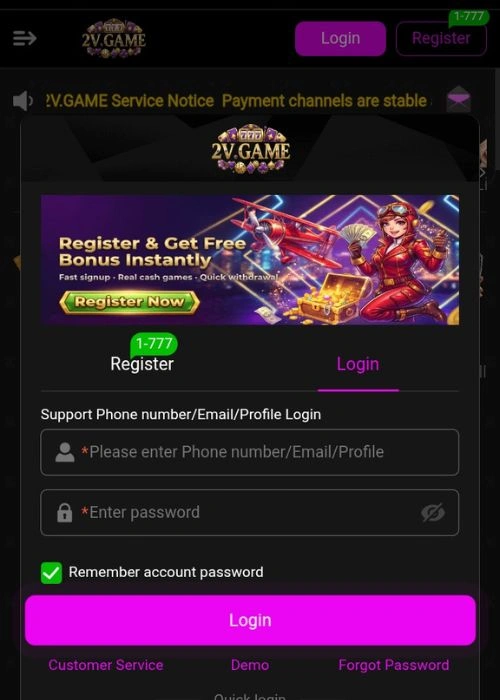
Open the 2V Game App
Launch the 2V Game app on your device, either by tapping the app icon on your home screen (for mobile) or through your device’s app menu.
Click on the “Login” Button
On the welcome screen, you’ll see two options: “Sign Up” and “Login.” Since you already have an account, click the “Login” button.
Enter Your Username or Email
In the login screen, enter the username or email address that you used during registration. Make sure there are no typos.
Enter Your Password
Below the username/email field, enter the password that you created when you registered for 2V Game. Ensure that your password is typed correctly.
Click “Login”
After filling in your credentials, click the “Login” button to proceed.
Verify if Needed (If Prompted)
If you are logging in from a new device or location, you may be prompted to verify your identity. This may involve an additional step like entering an OTP (One-Time Password) sent to your email or phone number. Follow the prompts to complete this process.
Access Your Account
Once your credentials are verified, you’ll be logged in to your 2V Game account, and you’ll be directed to the main dashboard, where you can explore games, check promotions, and more.
Troubleshooting Login Issues
- If you forgot your password, there’s usually a “Forgot Password?” link on the login page. Click it to reset your password via email or SMS.
- If you still face issues logging in, check your internet connection or try restarting the app.